

How to Fix an Unresponsive iPhone Home Button in 3 Easy Steps
September 28, 2012 by Phil Montero · 11 Comments
Having problems with the Home button on your iPhone not working or being very unresponsive? You’re not alone. I’m going to show you an easy quick way to fix your iPhone!
The home button on my iPhone used to be unresponsive to the point where it wouldn’t respond at all or I had to push it 4 or 5 times just to get it to work. Very frustrating!
Well don’t panic . . . there’s no need to restore your phone, take it apart or pay someone $100 or more to fix it for you. I found a quick easy way to fix the iPhone home button problem using nothing more than isopropyl alcohol and a q-tip.
Watch this video to see these 3 Easy Steps to fix your unresponsive iphone home button.
[iframe src="http://www.youtube.com/embed/ZtQ18n7PzRM?list=UUvQGZUOn8dZQW7mm-ZqoBPA&hl=en_US" frameborder="0" width="600" height="338"]
IMPORTANT NOTE: If you were using your iPhone home button problem as an excuse to upgrade to the new iPhone 5 . . . move along there’s nothing to see here – don’t worry I won’t tell anyone . . . lol!
If this didn’t do the trick for you I did come across another technique that seems to have worked for some which involves using the sync cable and gently pushing to realign home button. You can find a video on how to use this method here.
Did this fix your problem? If so please take a moment and post a comment below and let me know I helped you out. Don’t miss a video – Subscribe to our YouTube Channel!
Video Review of the Case-mate Pop Case for Verizon iPhone 4 (great case)
March 2, 2011 by Phil Montero · 7 Comments
I recently updated from my iPod Touch to the new Verizon iPhone 4. The first accessory I needed was a good solid case. I don’t like to use belt clips and instead prefer to keep my iPhone in my pocket. Although I love the Rebel Touch Case I have for my iPod Touch they didn’t have the same case available for the new iPhones. Also most other iPhone 4 cases that were designed for the AT&T iPhone 4 would not fit the new Verizon iPhone 4 because some of the buttons on the side moved slightly for the different placement of the antennae on the CDMA version of this phone.
I did lots of research (as usual) and reading of reviews and it seemed Case-mate was one of the first to release a variety of cases specifically designed for the Verizon iPhone 4. There are many different case styles but I don’t like to use a belt clip and prefer a case that has a combination of a solid spine (to protect from impact in case you drop it) but also has a rubber on the sides to help increase the grip to it doesn’t feel like it will slide out of your hand. The Case-mate Pop case seemed to fit the bill – so I ordered one and in this video I show my unboxing as well as my review of this case. Although I need to see if it stands the test of time so far I am VERY happy with this case and feel confident it will keep my precious iPhone 4 safe and sound.
Watch my video review and unboxing below:
What case did you pick for your iPhone and what do you like most about it? Share your thoughts by posting a comment below!
How to send mail from your own domain using Gmail and your iPhone
February 11, 2011 by Phil Montero · 177 Comments
In my blog post yesterday I showed you how to configure Google Sync to keep your Gmail, Google Calendar, and Contacts in sync with your iPhone, iPad, or iPod Touch. Those steps work great if you use your Gmail address as your primary email address but they won’t let you send mail from your own domain.
I have several different email addresses with different domains names all forwarding mail to Gmail and thanks to it’s flexibility I was able to configure Gmail so that I can send or reply from any of them (with one being the default address for new messages). For example even though I use Gmail as my email program I rarely use my Gmail address – instead my FROM address is phil@theanywhereoffice.com.
Although Gmail handles this perfectly I was disappointed when first configured my iPod Touch a few years back using Google Sync that it ignored these settings and always sent mail from my Gmail address. This was unacceptable to me as I wanted emails I sent to come from my business address and didn’t want to confuse my clients, customers, and colleagues. I hunted and searched and tested and finally found out how to get this to work. You can still use the steps I shared in yesterday’s post/video to sync your Google Calendars and contacts with your iPhone but you need to turn off the mail option there and follow some special (and somewhat convoluted) steps to get the mail to sync with Gmail AND send from your own domain.
No worries – I’m here to help. I recorded 2 videos for you below walking you step-by-step through the entire process. The first step would be to have mail from your other domain forward to your Gmail account. I assume you’re probably already doing this but if not you’ll need to go into your current email settings for your domain and set it to forward your mail to your Gmail account. The steps for this will vary depending on how you currently get your email – most likely these settings can be controlled in the control panel of your web or email host.
The next step is to configure Gmail to send mail from your own domain rather than using your Gmail address. Watch this video to learn how to do this:
The final step is the tricky part – how to get your iPhone, iPad, or iPod Touch to sync with Gmail and use your own domain. Make sure to follow all the steps in the next video – there are a few gotcha’s (like one part where you have to set it up with your Gmail address, back out, then go back in and Read more
How to sync your iPhone, iPad or iPod Touch with Gmail, Google Calendar and Contacts
February 10, 2011 by Phil Montero · 40 Comments
If you have an iPhone, iPad or iPod Touch and you use Google’s services (Gmail, Calendar, and Contacts) the video below will walk you step-by-step through the best way to sync all your data seamlessly with your Apple Device. Although these devices have a built in Gmail option it has some major limitations – specifically it doesn’t offer the ability to sync contacts over the air and limits you to one primary calendar.
I have tried several different ways and found Google Sync (which acts like a Microsoft Exchange connector) works great. I used it for years on my iPod Touch and now that I’m the proud owner of a new Verizon iPhone 4 (I am stoked) I used this same method to keep my iPhone and Google services perfectly in sync. One of the great features is that it lets you sync multiple Google Calendars (up to 25). That means when you create a new appointment in the calendar on your iPhone you can add it to any of the Google calendars you have access to (your own or any shared calendars).
Watch my video below and follow along with your iPhone, iPad, or iPod Touch as I show you how to sync your mail, contacts, and multiple Google calendars with your Apple device so you can send/receive mail, schedule appointments, and call any of your contacts from anywhere – instantly. Now that’s The Anywhere Office in action!
Note that Google Sync is only supported on iOS versions 3.0 and above. You can check your current version by going to Settings > General > About > Version. If your business, school, or organization uses Google Apps, your administrator will first need to enable Google Sync before you can take advantage of this feature.
If you prefer written instructions Google provides them here but I figured it would be easier to follow along as you watch the steps in this video.
These steps work great if you are using your Gmail address as your primary email address. If you prefer to send mail from your Gmail account (and your iPhone, iPad, or iPod Touch) using your own domain (ie I send email from @theanywhereoffice.com) then you will want to check out my next article and video where I’ll walk you through how to change the mail setup. It’s tricky but I found a way to get it to work so stay tuned!
(BTW all the video of me configuring the iPhone was actually shot with the video camera on another iPhone – how cool is that!)
How to Downgrade your iPod Touch or iPhone from iOS4 to 3.12/3.13
July 16, 2010 by Phil Montero · 10 Comments
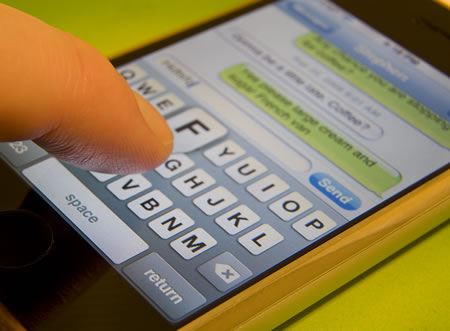 If you’re like me, and apparently many others, after installing iOS4 for your iPod Touch or iPhone you were less than impressed. Well after several weeks, and a few tries, I’ve successfully removed iOS4 from my iPod Touch 2G and downgraded/reinstalled the previous OS 3.12 (more on why it’s not 3.13 in a bit). Read on and I’ll explain how you can do the same on your device to solve problems such as battery drain, sluggishness, and crashing.
I’ve always been someone who jumps on upgrades for software pretty much as soon as they come out. I also try a lot of beta software – friends, colleagues, clients, and readers of this blog have come to trust me to “test it all out” and then report back on what are the best programs, devices, and technology available. I have to say however it was a mistake for me to upgrade my iPod Touch 2G to iOS4 the day it came out. I should have waited a few days and read about what others were experiencing as it would have saved me a lot of problems.
I was really excited about the new features in iOS4 and you have heard me mention here on this blog before that my iPod Touch has pretty much been my favorite piece of technology for the last few years. It’s amazing and it just works – I travel without my laptop a lot more these day thanks to this handy little device. In fact it has essentially acted as an Apple gateway drug making me want to switch from a PC to a MAC.
But my wonderful, joyful piece of technology was no longer bringing me as much joy after upgrading the firmware/software from 3.13 to iOS4. As it turns out many of the new features I was excited about (multitasking and screen rotation lock) were not supported on my older device. But worse was that the addition of persistent wi-fi when the device goes into sleep/standby mode was killing my battery. Even when it was off in my pocket what used to last a few days was out of juice by the middle of a single day. UNACCEPTABLE! Read more
