

How to Use Your iPhone to Make Videos for your Blog, Website, or Social Networking Page
October 29, 2012 by Jason Montero · 1 Comment
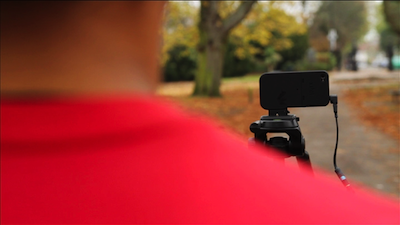 Former MTV and BBC TV Director Jules Watkins has created a video course that shows you how to make awesome videos using just your iPhone. He contacted us here at T.A.O. and asked if we’d be interested in a look at his program to review for our blog. From the minute I logged into Jules’ iPhone Video Hero site I knew I was looking at some genuine expert training. By the end of even just the first module I was confident I could shoot a better, more appealing, more professional looking video with my iPhone – no joke.
Jules has directed hit TV shows including The Biggest Loser and Pimp My Ride and knows a thing or two about how to make videos that attract a following. The videos he has made ON HIS iPhone for this training will stun you; and he’s a real show ’em don’t tell ’em kind of teacher, so he gets right to the point.
If you are an entrepreneur, small business owner, solo professional, independent artist, design freelancer or just want to make better videos with your iPhone then you need to watch Jules’ video at iPhone Video Hero.
How to Fix an Unresponsive iPhone Home Button in 3 Easy Steps
September 28, 2012 by Phil Montero · 11 Comments
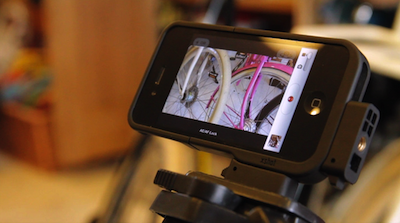
Having problems with the Home button on your iPhone not working or being very unresponsive? You’re not alone. I’m going to show you an easy quick way to fix your iPhone!
The home button on my iPhone used to be unresponsive to the point where it wouldn’t respond at all or I had to push it 4 or 5 times just to get it to work. Very frustrating!
Well don’t panic . . . there’s no need to restore your phone, take it apart or pay someone $100 or more to fix it for you. I found a quick easy way to fix the iPhone home button problem using nothing more than isopropyl alcohol and a q-tip.
Watch this video to see these 3 Easy Steps to fix your unresponsive iphone home button.
[iframe src="http://www.youtube.com/embed/ZtQ18n7PzRM?list=UUvQGZUOn8dZQW7mm-ZqoBPA&hl=en_US" frameborder="0" width="600" height="338"]
IMPORTANT NOTE: If you were using your iPhone home button problem as an excuse to upgrade to the new iPhone 5 . . . move along there’s nothing to see here – don’t worry I won’t tell anyone . . . lol!
If this didn’t do the trick for you I did come across another technique that seems to have worked for some which involves using the sync cable and gently pushing to realign home button. You can find a video on how to use this method here.
Did this fix your problem? If so please take a moment and post a comment below and let me know I helped you out. Don’t miss a video – Subscribe to our YouTube Channel!
Phil Simon Video Interview – The Age of the Platform (and How to Crowdsource a Book)
July 26, 2011 by Phil Montero · 3 Comments
Recently I had the pleasure of having a video chat on Skype with my friend Phil Simon about his upcoming book The Age of the Platform. In it he explores how Amazon, Apple, Facebook, and Google are using the “platform” as a new business model. He explains how they are embracing partnerships, third parties, communities, and ecosystems in very interesting and different ways.
After talking with Phil about the book it sounds fascinating and it’s obvious he is passionate about the topic. I can’t wait to read it!
What’s really interesting is the way he’s publishing the book. Rather than go the traditional publishing route his is going it on his own (with his own publishing company he started when writing his last book The New Small).
In the video interview below we talk about the book and how he’s using crowdsourcing and Kickstarter.com to fund this project. You can also win a free signed copy of the book – just read on below:
Here are a few links to info we mention in this video: Phil talks about a Korean Movie Director who shot an entire movie on his iPhone. He also mentions the Nano Watch as one of the most successful Kickstarter projects ever.
If you haven’t heard about Kickstarter it is a funding platform focused on a broad spectrum of creative projects. Through it you can offer rewards such as copies of the work, limited editions, fun experiences in exchange for different amounts of money that people donate to fund or back a project.
If you are an aspiring author, or have any great idea for a project but need funding for it you’ll be very interested to hear Phil talk about Kickstarter in this video. Read more
Catch my video chat with Dave and Brian on Freelance Jam
June 14, 2011 by Phil Montero · 4 Comments
A few weeks ago I had the pleasure of joining my friends Dave Yankowiak and Brian Casel on their awesome web video show Freelance Jam. Dave runs AnywhereMan.com and once we met on Twitter and chatted on Skype we knew we had a lot in common! The show is targetted toward independent professionals who build the web but anyone who runs a small business can learn a lot from their guests and discussions.
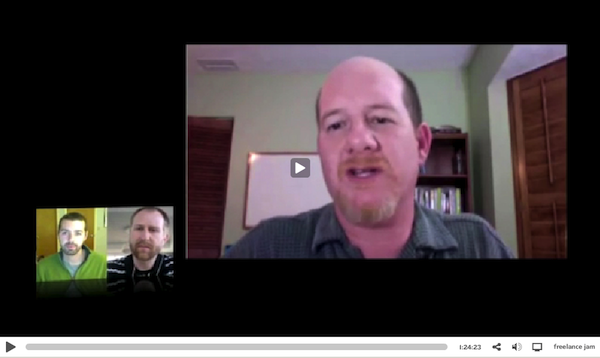
In this edition of the show we talked about things like how to build trust with clients you may never meet face to face, working in virtual teams, what effect technology has on the shift from employee to freelancer and the future of the “anywhere lifestyle” – being able to do the work where and when you want. Read more
Video Review of the Case-mate Pop Case for Verizon iPhone 4 (great case)
March 2, 2011 by Phil Montero · 7 Comments
I recently updated from my iPod Touch to the new Verizon iPhone 4. The first accessory I needed was a good solid case. I don’t like to use belt clips and instead prefer to keep my iPhone in my pocket. Although I love the Rebel Touch Case I have for my iPod Touch they didn’t have the same case available for the new iPhones. Also most other iPhone 4 cases that were designed for the AT&T iPhone 4 would not fit the new Verizon iPhone 4 because some of the buttons on the side moved slightly for the different placement of the antennae on the CDMA version of this phone.
I did lots of research (as usual) and reading of reviews and it seemed Case-mate was one of the first to release a variety of cases specifically designed for the Verizon iPhone 4. There are many different case styles but I don’t like to use a belt clip and prefer a case that has a combination of a solid spine (to protect from impact in case you drop it) but also has a rubber on the sides to help increase the grip to it doesn’t feel like it will slide out of your hand. The Case-mate Pop case seemed to fit the bill – so I ordered one and in this video I show my unboxing as well as my review of this case. Although I need to see if it stands the test of time so far I am VERY happy with this case and feel confident it will keep my precious iPhone 4 safe and sound.
Watch my video review and unboxing below:
What case did you pick for your iPhone and what do you like most about it? Share your thoughts by posting a comment below!
