

Virtual Team Leader: Boss or Facilitator? Listen to the Podcast or Watch the Google Hangout
March 6, 2015 by Phil Montero · 14 Comments
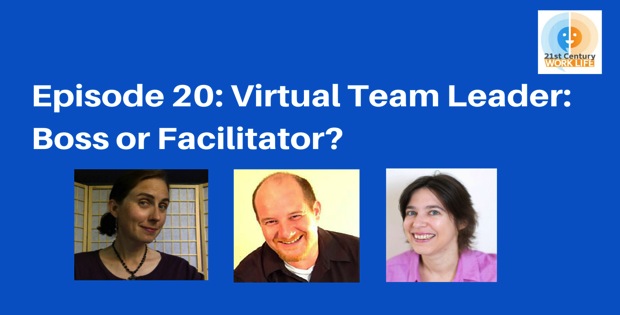
I had a great time joining Lisette Sutherland (@lightling – collaborationsuperpowers.com) and Pilar Orti (@PilarOrti – virtualnotdistant.com) this past week for some virtual coffee and a live Google Hangout to discuss the changing role of the manager and team leader in virtual teams. The key to successful virtual teams is a leader that can navigate the changing landscape of our current world of work. What are the qualities and traits of a great virtual manager? All three of us have varied experience managing and working on virtual teams so it was a fun, interesting exchange of ideas!
There are two ways you can review this information
I hope you enjoy the discussion as much as we did. If you have any questions or would like to add additional thoughts please post a comment below!
Virtual Team Leader: Boss or Facilitator? Join us this Wednesday for a Live Google Hangout
March 2, 2015 by Phil Montero · 84 Comments

I am delighted to be joining Lisette Sutherland (@lightling – collaborationsuperpowers.com) and Pilar Orti (@PilarOrti – virtualnotdistant.com) this coming Wednesday for some virtual coffee and a live Google Hangout to discuss the changing role of the manager and team leader in virtual teams. The key to successful virtual teams is a leader that can navigate the changing landscape of our current world of work. What are the qualities and traits of a great virtual manager? All three of us have varied experience managing and working on virtual teams so it should be a fun, interesting exchange of ideas!
Join us Wednesday March 4th at 9:30 EST / 14:30 GMT / 15:30 CET. To join us and comment through Google Hangouts, register here: https://plus.google.com/events/cv2gj9g3ei206vqq8lar2odbrv4
Or you can watch from this page or right on YouTube.
We hope you can join us for this event. If you have any questions you would like to ask about virtual leadership feel free to leave a comment below or send them to me on Twitter @philmontero and I’ll be sure to address it during the hangout!
Thoughtfully applying the right technology – an interview for Collaboration Superpowers: The Field Guide
October 1, 2014 by Phil Montero · 5 Comments
One of my main mantra’s regarding the technology side of virtual teamwork and remote collaboration has always been “It’s not about technology – it’s the right technology thoughtfully applied”. I was delighted a few weeks back when Lisette Sutherland, the Director of Collaboration Superpowers, contacted me about doing a Google Hangout video interview to talk about my ideas and thoughts regarding remote collaboration for her upcoming book Collaboration Superpowers – The Field Guide. This book, which you can preorder now, is packed with stories and tips for those whose business models depend upon successfully bridging distance to accomplish knowledge work. She has interviewed a number of experts and early adopters and brings you their lessons learned.
It was great to get a chance to talk with Lisette. She has over 10 years experience with web-based collaboration tools and online community management and her goal is to get the best people working together regardless of location. A woman after my own heart!
With both our varied experience we had no shortage of things to talk about! We had a great discussion about a variety of topics including The Anywhere Office – what we like about remote working, what the major stumbling blocks are to successful virtual teamwork, tips for managing remote workings, work-life balance, and how to choose the best technology for remote collaboration.
The interview was done via video with Google Hangouts but unfortunately about half way through we had some audio issues. Lisette had the interview transcribed and posted it to her website today along with the YouTube video of the interview. You can check out the interview here.
I urge you to sign up for her mailing list and pre-order her book as it will be filled with lots of great tips and best practices for remote collaboration.
REMOTE: Office not required – working in The Anywhere Office
November 1, 2013 by Phil Montero · 2 Comments
I was very excited last week when this short video from 37 Signals showed up in my inbox promoting their new book REMOTE – Office Not Required. Take a few minutes and watch it as they talk about all the things I’ve long championed as the advantages of embracing and working in The Anywhere Office® – especially with regards to lifestyle compatibility and productivity.
If you’ve read the articles I post on this blog it should come as no surprise to you that I loved the NY Times Bestseller REWORK written by Jason Fried and David Heinemeier Hansson of 37 Signals (the company that created the popular online collaboration and project management software Basecamp). In REWORK they challenge the usual thoughts and paradigm about work, meetings and what you need to run a successful company. It really changes the way you think about running a business in today’s world of work.
Well it looks like Jason and David have done it again this week with the release of their new book called REMOTE – Office Not Required. This book speaks more directly to the concept of The Anywhere Office® that we discuss and celebrate here on this blog. This short blurb about their book says it all:
As an employer, restricting your hiring to a small geographic region means you’re not getting the best people you can. As an employee, restricting your job search to companies within a reasonable commute means you’re not working for the best company you can. REMOTE, the new book by 37signals, shows both employers and employees how they can work together, remotely, from any desk, in any space, in any place, anytime, anywhere.
How to Avoid Virtual Miscommunication
May 20, 2013 by The Anywhere Office · 1 Comment

This article, How to Avoid Virtual Miscommunication, by Keith Ferrazzi in Harvard Business Review (April 12, 2013) is a spot-on, powerhouse short-list of how to avoid miscommunication with a virtual team or project group.
Ferrazzi displays insight on challenges to virtual communication:
Think about the information you can glean just from the seating arrangement in a physical conference room — who sits next to whom, who’s at the head of the table, who has put a little extra distance between herself and her neighbor, and so on. All those cues are missing in a typical teleconference.
As well as unpacking a list of SIX best practices to achieve shared understanding in virtual communication. Here’s a favorite:
Avoid sloppy e-mailing. A new status symbol in today’s generally more egalitarian business environment has arisen: sloppy e-mails. One provocative study found that many executives have write terse e-mails with half-sentences, bad grammar, and atrocious spelling. The underlying message is that those individuals are far too busy to be bothered with writing perfectly polished text. Unfortunately, sloppy e-mails at best require wasting time trying to decipher them, and at worse cause workplace misunderstandings and costly errors. For offenders who claim they simply don’t have time to write better emails, researcher Jaclyn Kostnerdoesn’t mince words: “I tell them you have to find the time; otherwise, you’re not fit for the job and somebody else should be doing it. Or maybe you need to offload some responsibilities because there’s no excuse for sending people cryptic emails.”
If anyone gave attention to these 6 principles they would unquestionably avoid a whole lot of confusion, frustration, and unnecessary interaction. Do yourself a favor and read the full article here: How to Avoid Virtual Miscommunication – Keith Ferrazzi – Harvard Business Review.
[image courtesy of marketwitharedpen.com]
