

Lin Humphrey: Mobile and Social Technology
March 4, 2013 by The Anywhere Office · 1 Comment
 If you are interested in some heady conversation about the intersection of mobile technology, social networks, and marketing – give a minute to this Lin Humphrey article where he offers his informed opinion about Amber Case’s discussion (and Tedtalk) “We Are All Cyborgs Now”. I think I lean toward agreeing with Humphrey on the point that mobile technology and social networks actually enhance human relationships which might not otherwise exist or be developed. Then again, I also want an army of robots… I think we’ll have a whole lot more insight to gain from Lin as he pursues his PHD and ruminates on these topics.
…we must remember that this technology facilitates rich connections to a network we might not be able otherwise to maintain. Much work remains on the research I discuss here; through future waves of the online study, a rich, academically sound understanding of how social media and mobile technology consumers use the technology, how they interact with their network, and how they make purchase decisions based on social media input will be developed. At the end of this project, I will defend my dissertation to earn my Ph.D. in marketing. But beyond that, the goal is to provide a rich contribution on how social media and mobile technology usage by “Connected Consumers” is associated with psychological and technology factors.
Read More:
Lin Humphrey: Mobile and Social Technology: Emergence of a Shared Consumption Experience.
Virus Protection For The Mobile Office
February 18, 2013 by The Anywhere Office · 2 Comments

This guest post was submitted to The Anywhere Office by Kaito Mori of TrendMicro.com
For many of us trapped behind the walls of a cubicle for 40 hours a week, having a mobile office just seems like a faraway fantasy, like retiring on a desert island, or decent gas prices. For those of us who do have the luxury to be able to work from home or anywhere else, we know that it’s not all roses relaxation. There are risks inherent to having a mobile office that can be devastating and can result in a loss of time and income or both. The danger paramount to one’s mobile office is the threat of a malicious virus. A successful virus in your system can spell doom to your entire mobile office setup; even your whole company due to identity theft, damage to equipment, or a compromised bank account. Luckily, all of these doomsday scenarios can be prevented through free or inexpensive programs that you can install on all of your mobile devices.
 A tenet of modern business psychology is to give your customer a price on your products that they think is more than a good deal. If the customer thinks that they are getting such a good deal by purchasing your product that they are GLAD to do it, then you are doing a good job as a business. Antivirus software is a prime example of this pricing model. Most antivirus software out there is available for free or close to it, which means that protecting your mobile office easy and economically feasible. You just have to pick the right software. We’ll go over some of the best options available on the market today.
For those of you who include a smartphone or two as part of your “mobile office,” there are some great security and antivirus programs that you can use to keep your devices secure.
How to Prevent Google from Tracking You
December 5, 2012 by Jason Montero · Leave a Comment
I always get a bit of a creepy feeling when I am on a website I have never visited before and they serve me an advertisement for some completely unrelated product or service I was researching days earlier.
When it continued happening to me AFTER I opt-ed out of Google’s customized advertising I went to, where else, Google to understand why. That is when I found this great article about some methods and tools for protecting your privacy online.
I love this article about methods to protect your privacy online using Network Advertising Initiatives opt-out program. This advice by Dennis O’Reilly is especially useful if, like me, you are a person who uses a lot of Google services.
According the the entropy theory explained by Peter Eckersley on the EFF’s DeepLinks blog, 33 bits of entropy are sufficient to identify a person. According to Eckersley, knowing a person’s birth date and month (not year) and ZIP code gives you 32 bits of entropy. Also knowing the person’s gender (50/50, so one bit of entropy) gets you to the identifiable threshold of 33 bits.
While people are rightly concerned about who is watching and recording their Web activities, at least Google makes it possible to use the company’s services without being too forthcoming with your personal information. ISPs and other Web services do as much tracking as Google–or more–but garner far fewer headlines.
After all, the true threat to privacy is from the trackers we don’t know about, and who aren’t household names.
via How to prevent Google from tracking you by Dennis O’Reilly for C|net
How to Use Your iPhone to Make Videos for your Blog, Website, or Social Networking Page
October 29, 2012 by Jason Montero · 1 Comment
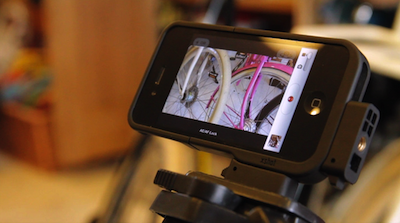
 Former MTV and BBC TV Director Jules Watkins has created a video course that shows you how to make awesome videos using just your iPhone. He contacted us here at T.A.O. and asked if we’d be interested in a look at his program to review for our blog. From the minute I logged into Jules’ iPhone Video Hero site I knew I was looking at some genuine expert training. By the end of even just the first module I was confident I could shoot a better, more appealing, more professional looking video with my iPhone – no joke.
Jules has directed hit TV shows including The Biggest Loser and Pimp My Ride and knows a thing or two about how to make videos that attract a following. The videos he has made ON HIS iPhone for this training will stun you; and he’s a real show ’em don’t tell ’em kind of teacher, so he gets right to the point.
If you are an entrepreneur, small business owner, solo professional, independent artist, design freelancer or just want to make better videos with your iPhone then you need to watch Jules’ video at iPhone Video Hero.
How to Fix an Unresponsive iPhone Home Button in 3 Easy Steps
September 28, 2012 by Phil Montero · 11 Comments
Having problems with the Home button on your iPhone not working or being very unresponsive? You’re not alone. I’m going to show you an easy quick way to fix your iPhone!
The home button on my iPhone used to be unresponsive to the point where it wouldn’t respond at all or I had to push it 4 or 5 times just to get it to work. Very frustrating!
Well don’t panic . . . there’s no need to restore your phone, take it apart or pay someone $100 or more to fix it for you. I found a quick easy way to fix the iPhone home button problem using nothing more than isopropyl alcohol and a q-tip.
Watch this video to see these 3 Easy Steps to fix your unresponsive iphone home button.
[iframe src="http://www.youtube.com/embed/ZtQ18n7PzRM?list=UUvQGZUOn8dZQW7mm-ZqoBPA&hl=en_US" frameborder="0" width="600" height="338"]
IMPORTANT NOTE: If you were using your iPhone home button problem as an excuse to upgrade to the new iPhone 5 . . . move along there’s nothing to see here – don’t worry I won’t tell anyone . . . lol!
If this didn’t do the trick for you I did come across another technique that seems to have worked for some which involves using the sync cable and gently pushing to realign home button. You can find a video on how to use this method here.
Did this fix your problem? If so please take a moment and post a comment below and let me know I helped you out. Don’t miss a video – Subscribe to our YouTube Channel!
