

Virtual Team Leader: Boss or Facilitator? Join us this Wednesday for a Live Google Hangout
March 2, 2015 by Phil Montero · 84 Comments

I am delighted to be joining Lisette Sutherland (@lightling – collaborationsuperpowers.com) and Pilar Orti (@PilarOrti – virtualnotdistant.com) this coming Wednesday for some virtual coffee and a live Google Hangout to discuss the changing role of the manager and team leader in virtual teams. The key to successful virtual teams is a leader that can navigate the changing landscape of our current world of work. What are the qualities and traits of a great virtual manager? All three of us have varied experience managing and working on virtual teams so it should be a fun, interesting exchange of ideas!
Join us Wednesday March 4th at 9:30 EST / 14:30 GMT / 15:30 CET. To join us and comment through Google Hangouts, register here: https://plus.google.com/events/cv2gj9g3ei206vqq8lar2odbrv4
Or you can watch from this page or right on YouTube.
We hope you can join us for this event. If you have any questions you would like to ask about virtual leadership feel free to leave a comment below or send them to me on Twitter @philmontero and I’ll be sure to address it during the hangout!
Free eBook on How to Design the Ultimate Home Office
August 10, 2012 by Phil Montero · 5 Comments
Do you have a messy, disorganized and cluttered workspace? If so then I have great news for you – your solution is at hand thanks to an eBook titled How to Design the ULTIMATE Home Office and it’s sure to help you whip your office into shape!
This book was written by Hassan Osman who writes a blog called TheCouchManager.com about working remotely. Being we share a passion for mobile work he sent me a copy of his book to review and I was very impressed with his approach and envious of the photos of his very organized home office.
He normally sells this book for $19.95 but he generously offered to make it available free for one week to members of The Anywhere Office tribe.
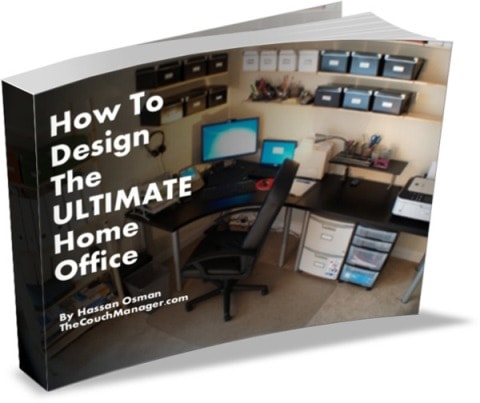 How to Design the ULTIMATE Home Office is a downloadable ebook that will help you transform your home office into a highly efficient space. It contains over 40 pictures that show you what organizers and tools to use and where to best position them for maximum impact.
Here’s what you’ll learn:
- Where to put all that clutter that’s been lingering around
- What types of budget-friendly organizers to use for your reference files and documents
- How to position everything on your desk to save you time and increase your productivity
- Examples of applying the GTD principles on organizing all your “offline” stuff
To get your free copy visit this link and sign up for his “Managing Virtual Teams” newsletter and you’ll receive 2 FREE ebooks:
- “How To Design the ULTIMATE Home Office” ($19.95 value) – a GTD-friendly guide with over 40 pictures that will help you clear up your office clutter and create a more productive workspace
- “Time Zone Meeting Coordination in 7 Easy Steps” – a free guide that will help you schedule virtual team meetings across different time zones without losing your hair (includes a downloadable Excel spreadsheet)
This is a limited-time offer exclusively for The Anywhere Office tribe, so make sure you sign up and download the books before Friday, Aug 17 at 9pm PST!
2nd Annual Telework Week March 5-9, 2012: Highlights in The Anywhere Office
March 5, 2012 by Phil Montero · Leave a Comment
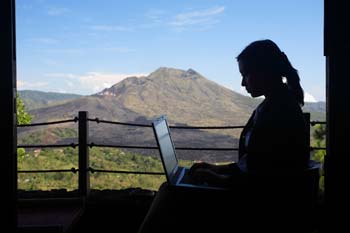 Today marks the beginning of the second annual Telework Week hosted by Telework Exchange. The goal is to encourage people and organizations to pledge to telework during this week in order to get a first hand account of just how flexible, simple, and economical it can be to work in this mode. Already, more than 64,000 pledges have signed up for Telework Week, collectively saving more than $4.7 million in commuting costs in just one week.
I thought this event was a great opportunity to look back on my own year and review what we have accomplished to champion telework here in The Anywhere Office. Early in the year we published a free white paper called, WORK UNCHAINED: Workshifting and the Competitive Edge of The Anywhere Office®‘- this 16 page special report details:
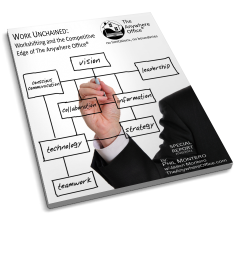 Why workshifting provides a critical competitive edge
- Common mistakes to avoid when enabling a mobile workforce
- Best practices for evaluating your organization before implementing a workshifting strategy
- How to assess information, communication and collaboration needs
- Key tools to consider when implementing a workshifting program
Then I was fortunate to be included on a panel of experts along with Jeff Zbar and Rachel Hastings to produce a teleseminar entitled, Telecommuting in the 21st Century: How to Implement or Improve Virtual Teams and Flexible Work in Your Organization which I turned into a free 13 part audio series. These 13 sessions comprise over an hour of informative content and will provide you with all the information you need to help you evaluate if telecommuting is a good fit for your business and how to get started or improve your virtual team work.
 Finally, and perhaps most significantly for me, I redeveloped my virtual team leadership webinar – The Art of Virtual Leadership. It now contains new and updated material and for the first time it’s available on-demand on any device that has Internet access. This 3-hour concise go-at-your-own pace course is packed with easy-to-understand overviews, key takeaways, action plans, checklists, tips, audio interviews, best practices, steps to take, proven strategies and more.
So, I’m proud of what we’ve created and contributed this year – and I hope you all can find some useful guidance and advice in this information. In order to celebrate Telework Week 2012 in the hopes that more organazations and individuals will realize the tremendous benefits of telecommuting, workshifting, and virtual teamwork, I am going to give away 2 FREE enrollments to The Art of Virtual Leadership webinar (registration is currently $157).
In order to enter the contest and be eligible to win your free enrollment you must do the following 2 steps:
- Follow me on Twitter – @philmontero (I share information on telework, virtual teams, mobile technology, and tips on how to work in The Anywhere Office so I promise it’ll be worth it!)
- Send out the following Tweet (you can copy and paste it into twitter or use the tweet button below):
RT @philmontero: It’s #telework week – visit The Anywhere Office for free resources – win a $157 webinar. http://bit.ly/twk2012 #tlwk2012
To make it even easier simply click this tweet button Tweet
and you will be taken to your twitter page with the text already in place so you can just click SEND.
I am also offering a 20% discount to anyone who enrolls for The Art of Virtual Leadership during Telework Week 2012 (let’s say through Sunday March 11th). Use coupon code telework2012 in the shopping cart while registering for the webinar to receive an additional 20% off of the already discounted $197 registration fee.
Have a great Telework Week, let’s shoot for a telework MONTH next year…
 Phil Montero
Founder of TheAnywhereOffice.com
Follow me on Twitter
Subscribe to our YouTube Channel
Connect with me on LinkedIn
Links to Resources Mentioned Above:
Work Unchained Report: http://youcanworkfromanywhere.com/workunchained-specialreport.htm
Telecommuting in the 21st Century Audio: http://www.theanywhereoffice.com/telecommuting-in-the-21st-century
Art of Virtual Leadership Webinar: http://www.youcanworkfromanywhere.com/avl/
3 Secrets to Turning Your Office Into The Anywhere Office – webinar replay & follow-up Q&A post
January 25, 2012 by Phil Montero · 1 Comment
 Late last year, I had the pleasure of presenting a webinar for Cisco where I shared my three secrets for turning your office into The Anywhere Office®. In the presentation I discussed how the world of work has changed and that whether you’re a freelancer, entrepreneur, telecommuter or remote worker, there are smart ways to work without an office.
In case you missed it – you can watch the replay of 3 Secrets to Turning Your Office Into The Anywhere Office®. In this webinar I share three secrets to mobilize your workstyle and make your business and projects more flexible. These simple steps will allow you to work wherever and whenever you want.
We had a lot of questions during the webinar and not all were answered, so I answered the bulk of them in a 2 part guest blog post I did for the WebEx blog. There were some excellent questions – here are the links so you can check it out:
The Anywhere Office: Collaborating While Working Remotely (Part 1)
In this post I answer these questions:
- How can you stay connected with workmates and interact with your team in a virtual office while avoiding feeling isolated?
- What is the best way to convince ‘old school’ management that this will better for yourself and the company?
- How do you keep the team spirit and consistency in the quality of work when everyone is working from home?
- How do you convince a customer to trust in remote management of his/her data?
The Anywhere Office: The Best Tools for Working Remotely (Part 2)
In part two of this Q&A I answer these questions:
- What is the best way for a few employees to keep a task list for their boss that we can all access remotely?
- Do you have some basic tools that you think are absolutely “must haves” for a virtual team?
- I share some of the best free and low-cost tools available for keeping teams connected and productive.
If you’re currently a mobile worker, or you’re starting to get more involved with virtual teamwork and remote collaboration the tools and strategies I discuss in this Q&A will help. The key to success is embracing the change about what defines work and taking the time to really think about how business gets done.
So check out the webinar and part 1 and part 2 of my Q&A blogpost on the Webex blog.
If you have further questions, you can post them as comments below or over at the webex blog and I’ll answer them there.
3 Secrets to Turning Your Office Into The Anywhere Office – FREE Webinar
November 3, 2011 by Phil Montero · 2 Comments
I’m excited to be hosting a free webinar with Cisco/Webex on November 17th titled “3 Secrets to Turning Your Office Into The Anywhere Office®“ as part of their No Office Required series.
Business as usual no longer involves working in a centralized office at set times. Whether you’re a freelancer, entrepreneur, telecommuter or remote worker, modern workflow is far more dynamic and individual. There are smart ways to work without an office.
As you know, as a reader of this blog, I’ve created a blueprint for virtual work that I call The Anywhere Office®. In this webinar I’ll shares three secrets to mobilize your workstyle and make your business and projects more flexible. These simple steps will allow you to work wherever and whenever you want.
I’ll show you how to:
- Make your work location independent
- Improve communication and keep people connected
- Manage a virtual team, distributed project group, or ebusiness across time and distance

Click here to view Cisco's Interactive Infographic - The Future of Workplace Mobility
This recent Cisco interactive infographic serves as a great visual representation of The Anywhere Office® concept I’ve been talking about for the last decade and will be discussing on this upcoming webinar. It shows the current and future state of workplace mobility. As Cisco states “Long commutes and being in an office at a certain time with limited flexibility is gradually becoming a thing of the past. The future will see an increase in workplace mobility creating the “anywhere office,” a place where employees can work anytime from anywhere.” By 2013, mobile workers will make up 35 percent of the worldwide workforce. While that leaves out over half of the global workforce, it shows us a new world of opportunity. Are you shifting your business to “The Anywhere Office®?”
Who should attend
This webinar is perfect for anyone who must coordinate with co-workers, clients, vendors, or contractors across time and distance: project managers, program directors, team leaders, project coordinators, or anyone in a leadership role for a virtual team or distributed project group. This includes freelancers, entrepreneurs, telecommuters and remote workers.
Make sure to signup today and reserve your spot. Even if you can’t make the live event you will be emailed a link to the recording so you can still benefit from all the tips and strategies I’ll be sharing.
I’m looking forward to a fun webinar and I hope to see you there!
